Practical Exercise 1 + R and R Studio Setup

Eduard Bukin

Installing R and R Studio

About the R and RStudio

To learn more about R and RStudio, use R For Data Science (Second Edition), specifically R4DS Chapter “Intro”, section 1.4 Prerequisites

  • R is an open-source statistical programming language

  • R is also an environment for statistical computing and graphics

  • It’s easily extensible with packages, see: https://cran.r-project.org/

  • RStudio is an IDE (integrated development environment) for R

  • RStudio is not a requirement for programming with R, but it’s commonly used by R programmers and data scientists https://www.rstudio.com/

R + RStudio Installation

  1. Download R from here: cran.r-project.org

  2. Install R by double click on the installation file and clicking next…

  3. Download free version of R Studio from here: rstudio.com

  4. Install RStudio by double click on the installation file and clicking next…

  5. Check that RStudio has been installed by typing “RStudio” in the start menu or Windows search.

  6. (Optional) Check that R has been installed by typing “R x” in the start menu or Windows search.

R and R Studio: introduction and interface
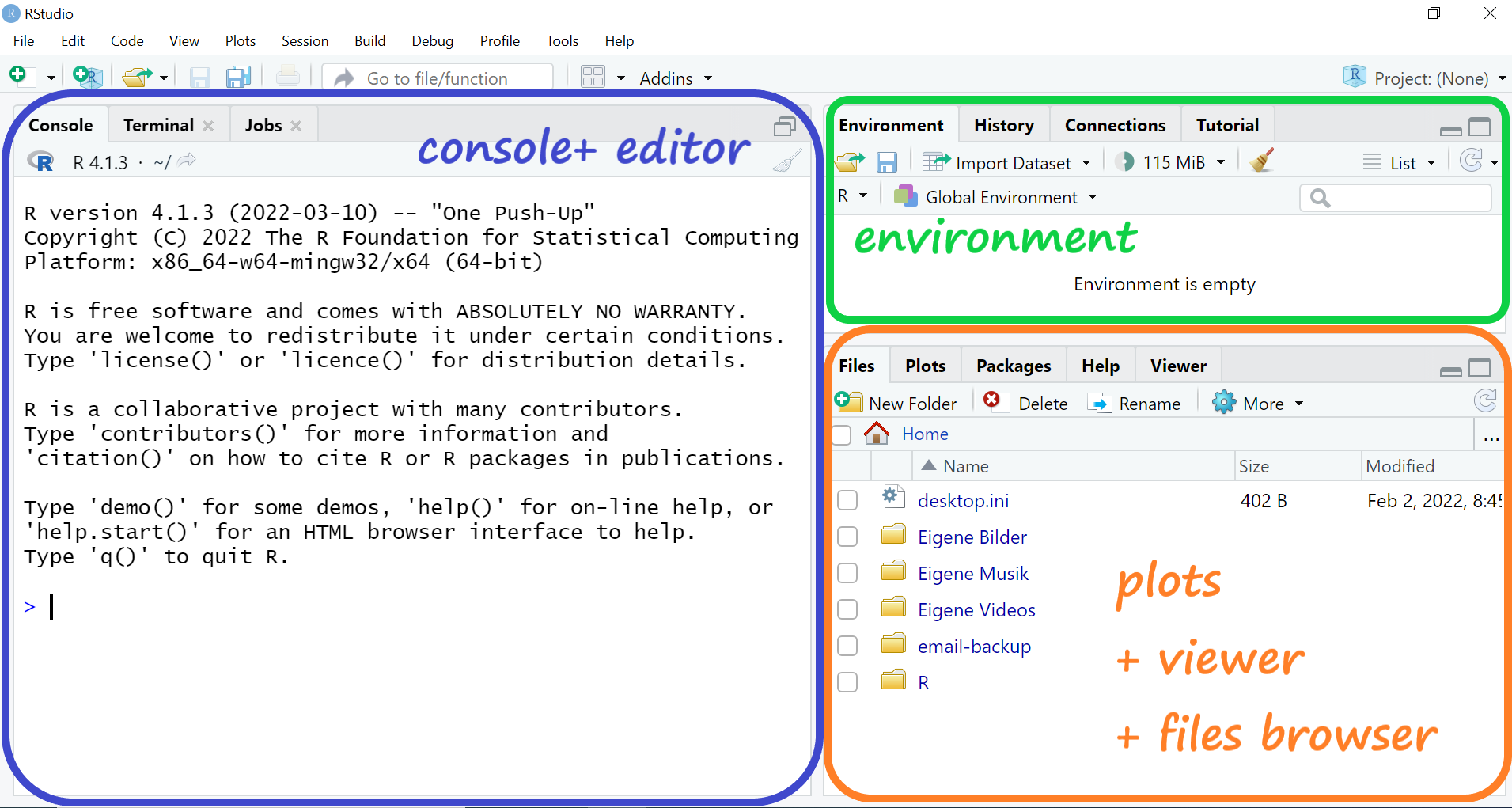
  • Console (left bottom) - to type the R code into

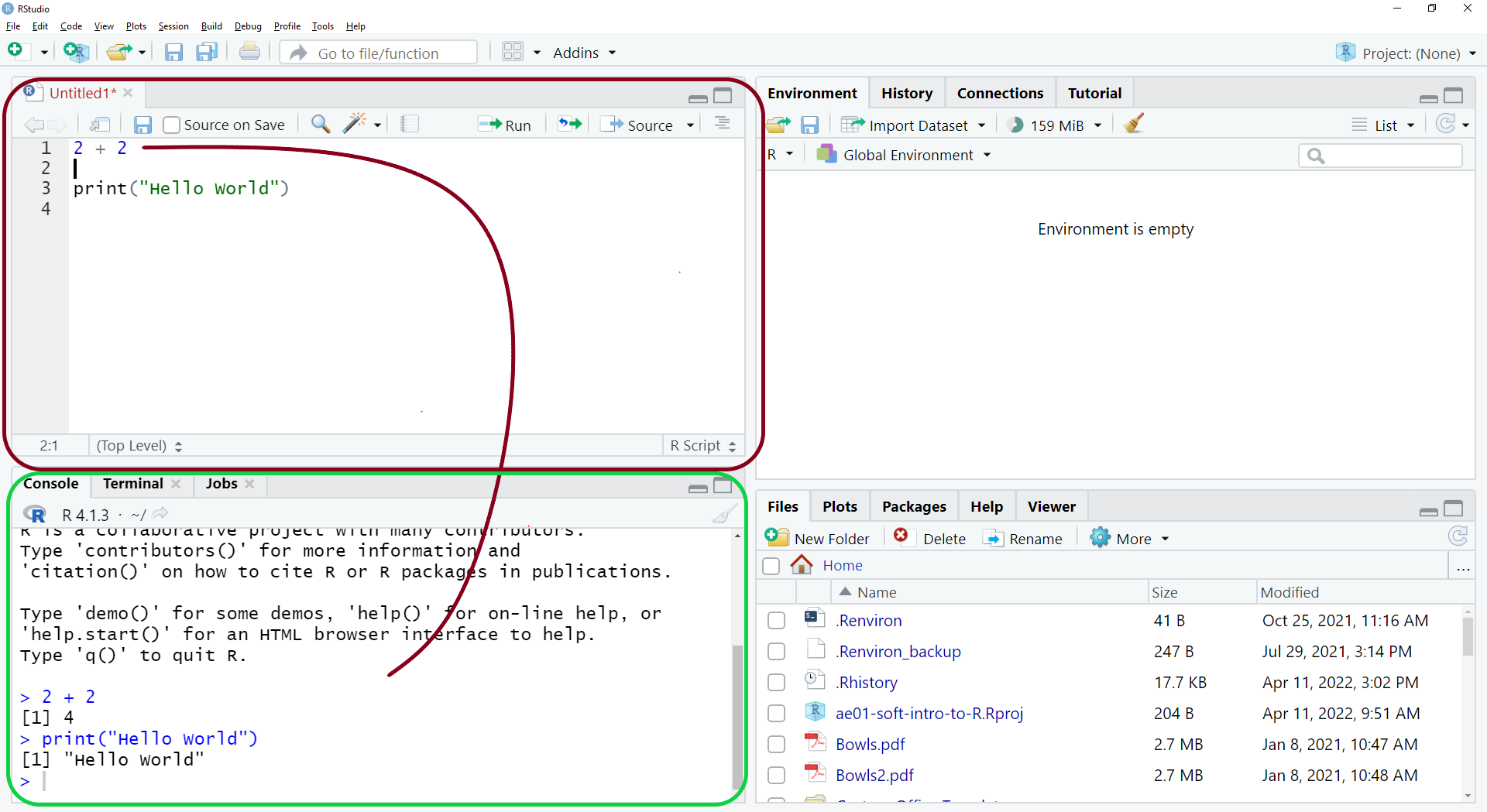
  • Editor (left top) - to write and SAVE scripts, analysis and documentation.

  • Environment (right top) - overview of the r session and objects in there

  • Plots, Files and Viewer (right bottom) - files navigation, plots export and inspection.

Scripts editor
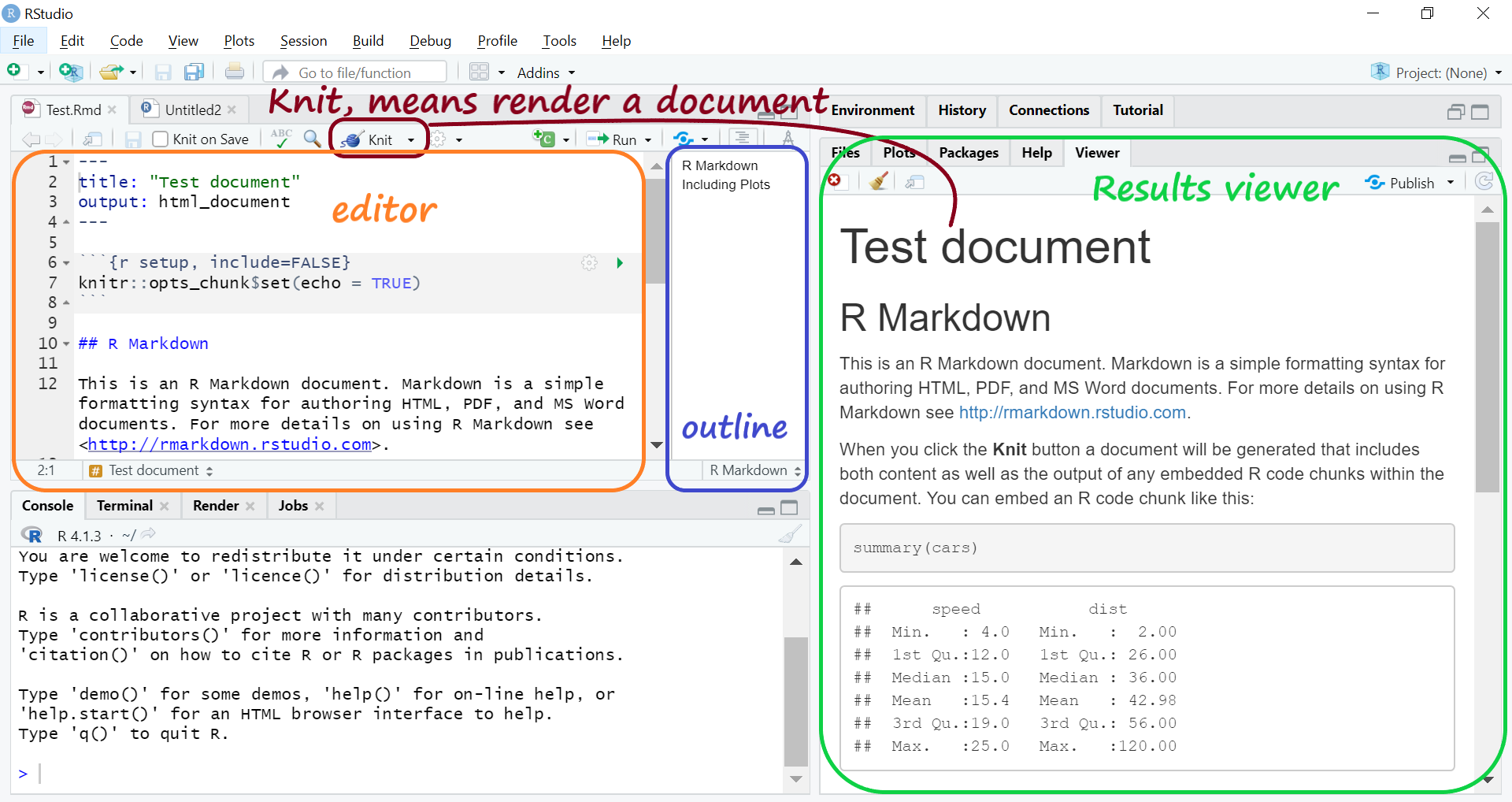
R Markdown editor
Practical Exercise 01. Checks and balances in the RCT

Application Exercise 01

In the classroom:

Turn on your PC

Use these log in and password.

Important

Login: ZH-user-pcl

Password: V5-senc!3ken

  1. Go to: bit.ly/3GD8Oap

  2. Scroll and download ex01-rct.zip.

  3. DON’T OPEN IT! setup your working folders first (next slide).

Setup working folders

Navigate to your user folder: C > Users > Name of your user account;

  • Create there a course folder names {your initial}-mk223-2023.

    • Use it for your course for all in-class work;
    • on my pc the course folder is called eb-mk223-2023;
    • the full path is C:\Users\ZH-user-pcl\eb-mk223-2023;
  • Paste ex01-rct.zip from downloads to the course folder;
  • Unzip ex01-rct.zip into ex01-rct;

Launch the R Studio from the project “ae01-soft-intro-to-R”

  • Navigate to ex01-rct in your course folder
  • Open ex01-rct.Rproj that has R studio icon and .Rproj extension: